- Decentraland Weekly
- Posts
- Music Festival - Pre-Festival Checklist
Music Festival - Pre-Festival Checklist
Everything you need to know before the festival opens.

Decentraland Foundation
December 01, 2025

Decentraland Music Festival starts in a few days on December 3, so here are a few simple things to make jumping in a smooth and stress-free experience.
1. Download Decentraland (If You Haven't Already)
You can download the desktop app by opening the link below and clicking ‘Download.’ The installer will download to your computer and then you can set it up like any other app. Once this is complete, create your account in a few quick steps.
2. Log In Once Before Opening Day
It helps to open Decentraland once ahead of time so everything loads smoothly. You can check that your avatar looks the way you want, save a festival-ready outfit in your Backpack, and adjust your settings before the first set begins. When the plaza opens on December 3, you can walk straight in without waiting for first-time setup.
3. Get Familiar With The Lineup
This year brings a full stream-native roster of digital-first musicians, Twitch creators, and virtual performers. Take a moment to listen to the artists you want to catch during the festival. You can find many of them on Twitch and YouTube, and the full schedule is available on the Decentraland Music Festival website for you to plan your visit.
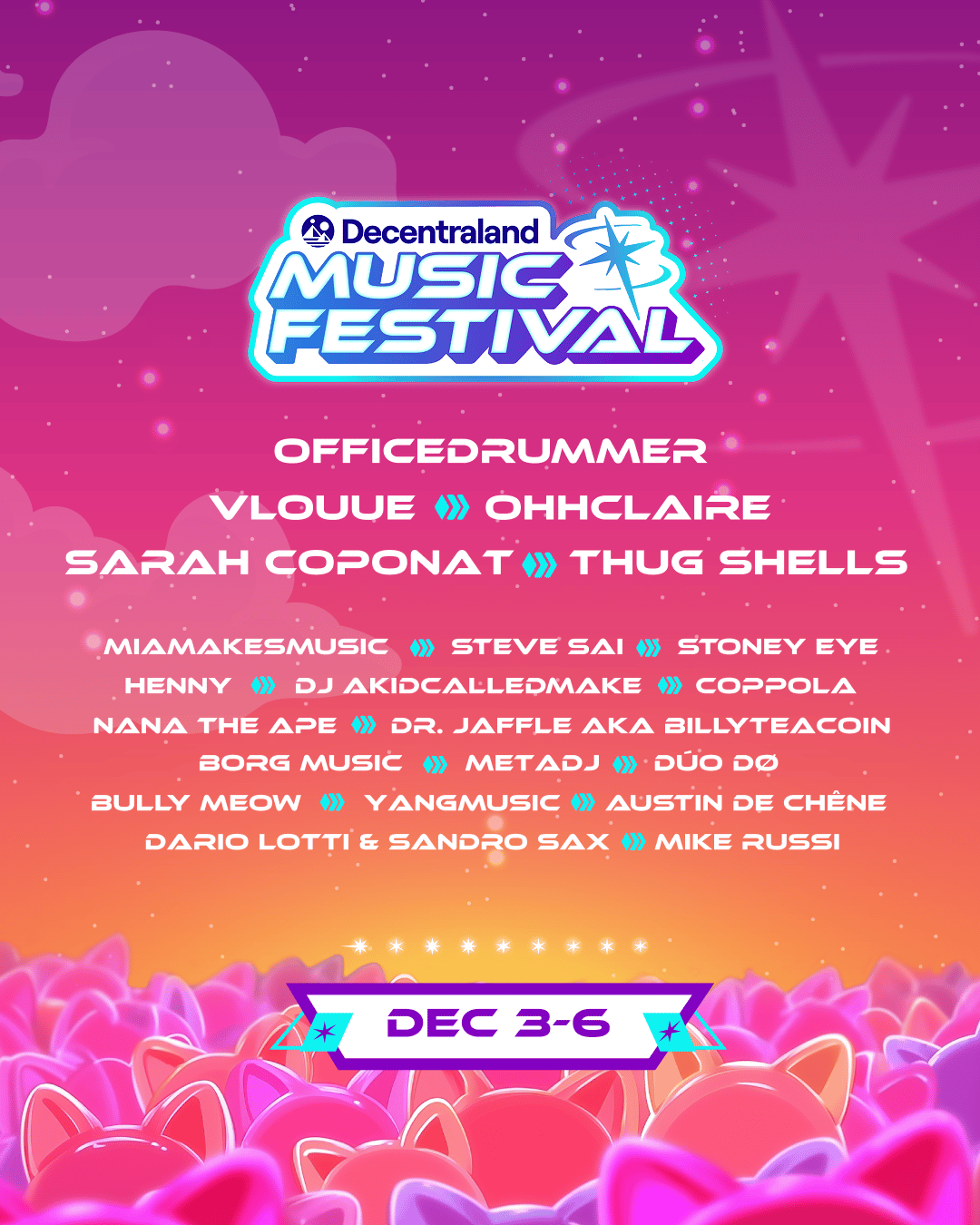
4. Invite a Friend to Join You
Decentraland Music Festival is always better with friends! The easiest way to let people know about the festival is to forward this email or share the X post below featuring the festival teaser.
When the plaza opens on December 3, step in, look around, and enjoy the festival in your own way. See you there!
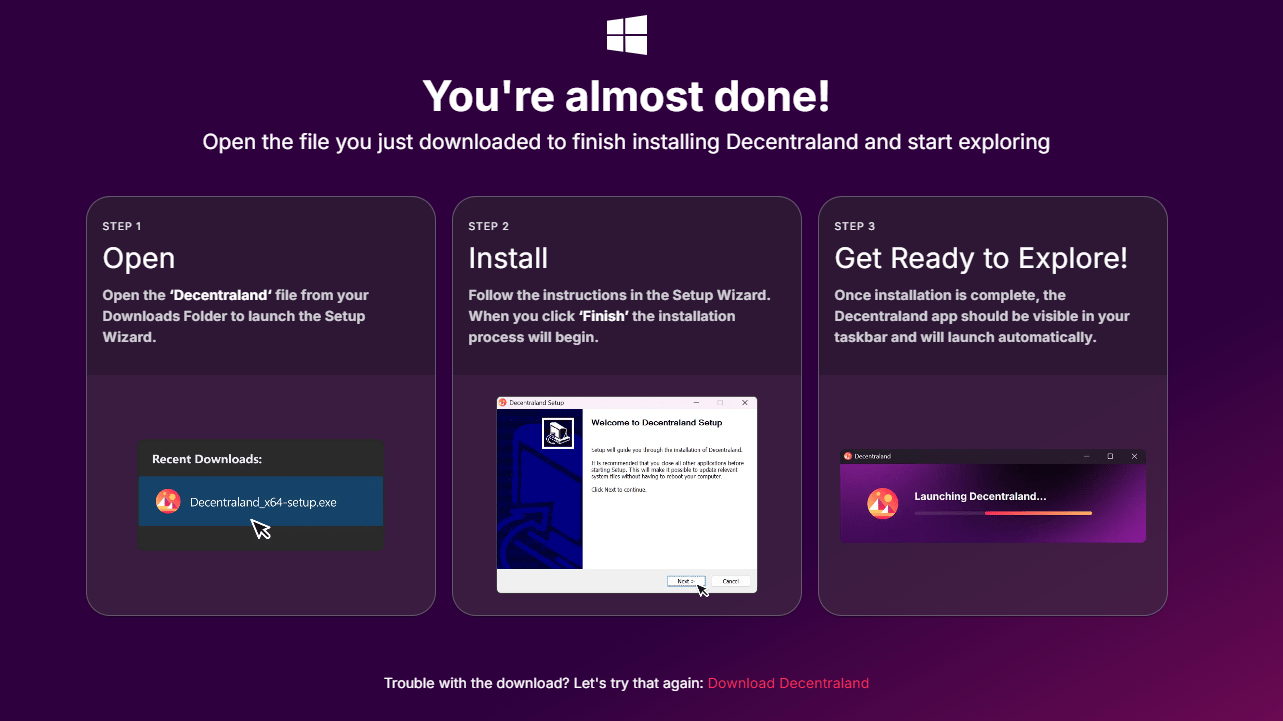
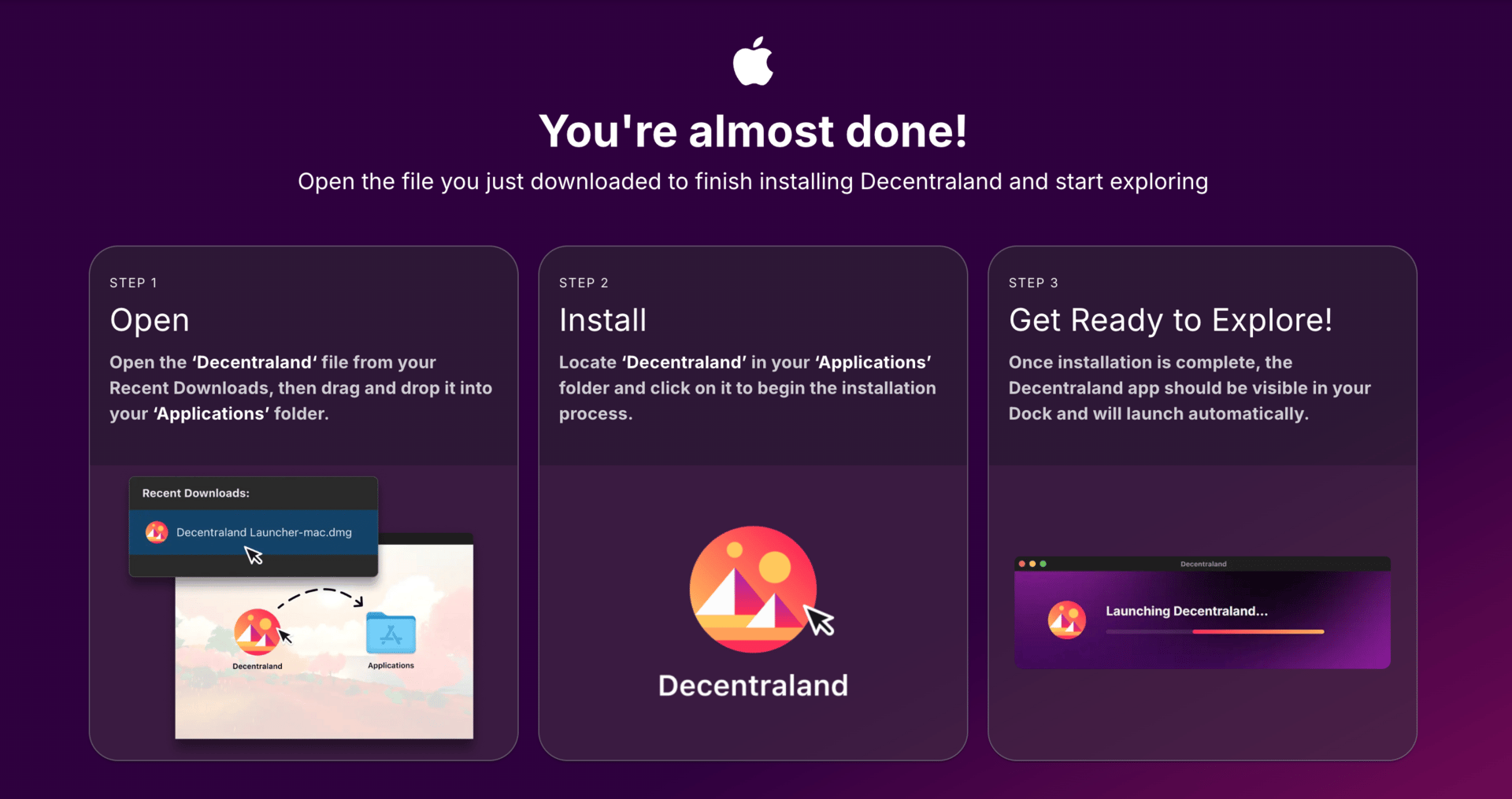
Decentraland Installation Walkthrough
For Windows Users
For Mac Users
Still stuck? Try these login workarounds. If that doesn’t solve the problem, chat with support on Discord or via the Help page.